# Working with the metadata database
> This section describes how Flexter metadata database can be accessed to gain further insight into your data.
---
Site [llms.txt](/flexter/master/llms.txt)
---
## Set up
You can generate useful applications from the metadata repository. Flexter ships with a report on data lineage (source to target map) and provides an ER diagram of the target schema.
Flexter's metadata repository is a PostgreSQL database.
You can log in to the metadata database using a SQL workbench tool that supports JDBC, e.g. DBeaver.
```text
Database name: x2er
Username: flex2er
Password: The password you set when installing the metadata repository
```
**Preparation**
To generate a data lineage report (tsv format; can be opened in Excel) or an ER diagram (graphml format readable by eg. yEd), you need to have two pieces of information:
- Id_sch ( origin ID that you pass as `-x` parameter to xml2er )
- Id_lschma ( ID that you pass as `-l` parameter to xml2er )
You can obtain these IDs from Flexter output under #schema section:
```text
origin = id_sch
logical = id_lschma
```
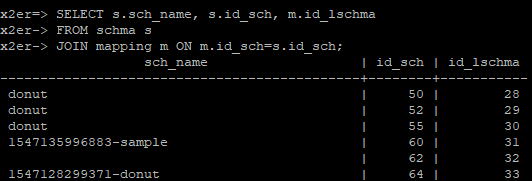
Alternatively, you can query these values from Flexmeta postgresql database with the following query:
```sql
SELECT s.sch_name, s.id_sch, m.id_lschma
FROM schma s
JOIN mapping m ON m.id_sch=s.id_sch;
```
Once you have both IDs, you can generate mappings and diagrams by running scripts from flexchma package. The scripts can be found under /usr/share/flexter/flexchma/aux/
## Data lineage report
During the install Flexter installs various helper scripts to generate data lineage and visual ER diagrams.
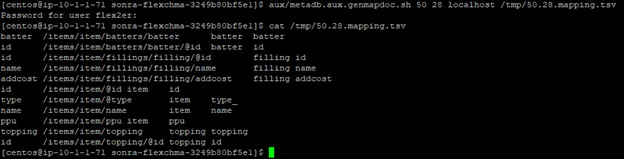
Run the metadb.aux.genmapdoc.sh script to generate a data lineage file as TSV, which can be opened in Excel.
```bash
/usr/share/flexter/flexchma/aux/metadb.aux.genmapdoc.sh 50 28 localhost /tmp/50.28.mapping.tsv
```
```text
1st parameter - id_sch
2nd parameter - id_lschma
3rd parameter - hostname of flexmeta postgresql database
4th parameter - output path
```
## Flexter ER diagram
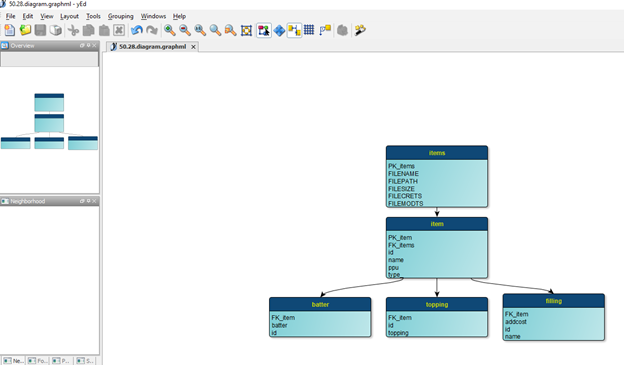
```bash
/usr/share/flexter/flexchma/aux/metadb.aux.tgt.gengraphml.sh 50 28 localhost /tmp/50.28.diagram.graphml
```
```text
1st parameter - id_sch
2nd parameter - id_lschma
3rd parameter - hostname of flexmeta PostgreSQL database
4th parameter - output path
```
You can open the generated file in any tool that supports graphml files, for example yEd.
## Data model for metadata database
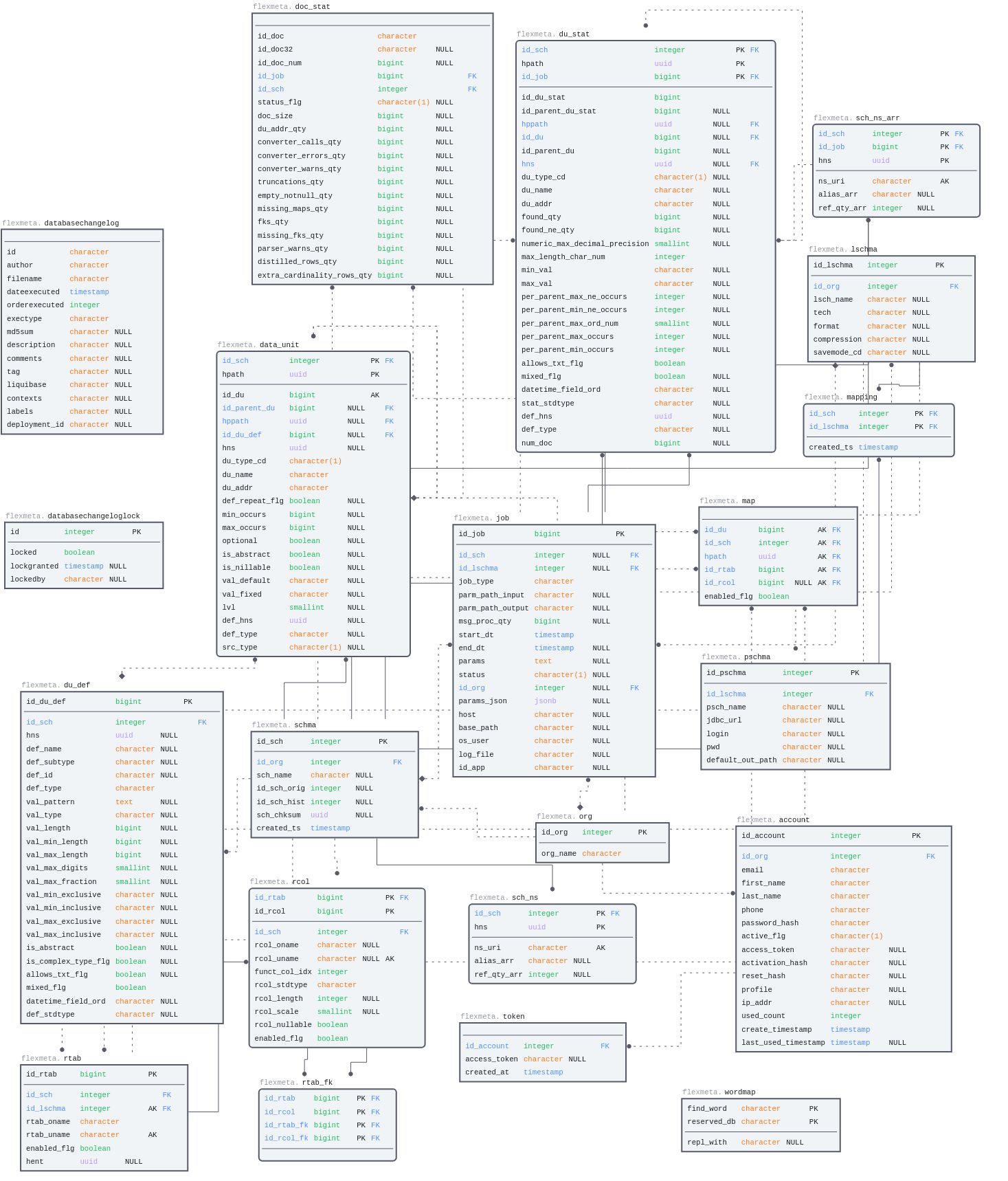
You can reverse engineer the metadata data model using a modelling tool that supports PostgreSQL, e.g. DBSchema.
Alternatively you can [download](https://sonra.io/wp-content/uploads/2023/01/Flexter-Metadata-2023-01-248.pdf) a PDF version of the data model.
Please contact Sonra support for some useful scripts for querying the Metadata DB.
You can also use the diagram below as reference